 Rights
RIGHTS & RATE
Thanks for your purchase — download Rights & Rate
Your license key is in your order confirmation email.
Rights & Rate requires a license key to activate. Don't have one yet? Get it here
macOS · Apple silicon (M1 or newer)
Seeing a warning? See the steps below.
Windows 10/11 · 64-bit
How to install
- Mac: Open the downloaded file and follow the installer. The app opens automatically at the end.
- Windows: Open the downloaded file. If you see “Windows protected your PC”, click “More info” → “Run anyway”. The app opens automatically at the end.
- Then paste your license key to activate. One license works on up to 2 computers.
Windows: if your browser or Windows shows a warning
Rights & Rate is safe. Windows shows these warnings for new apps that aren't downloaded often yet. Here's how to continue:
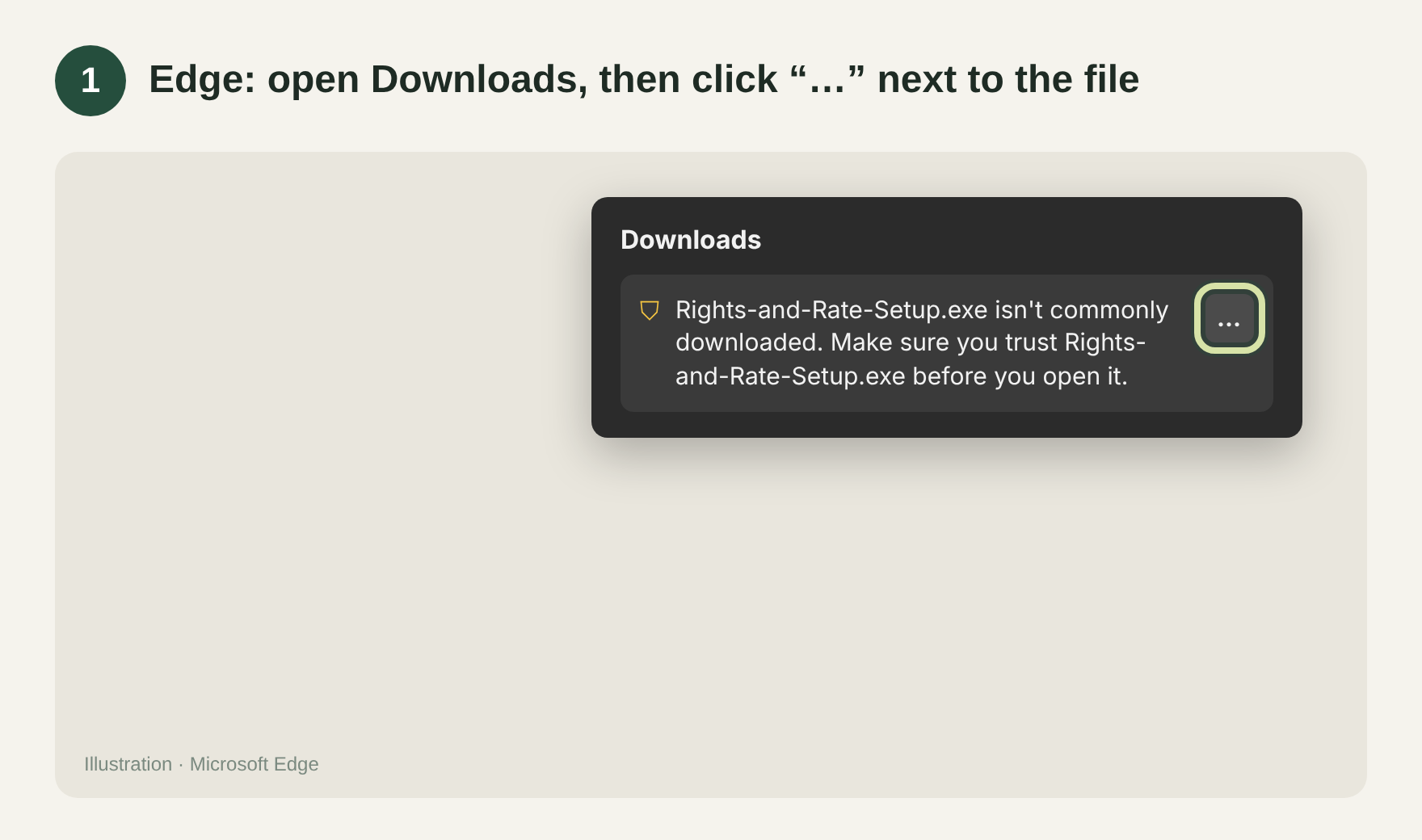
1. In Edge, open Downloads and click "…" next to the file. 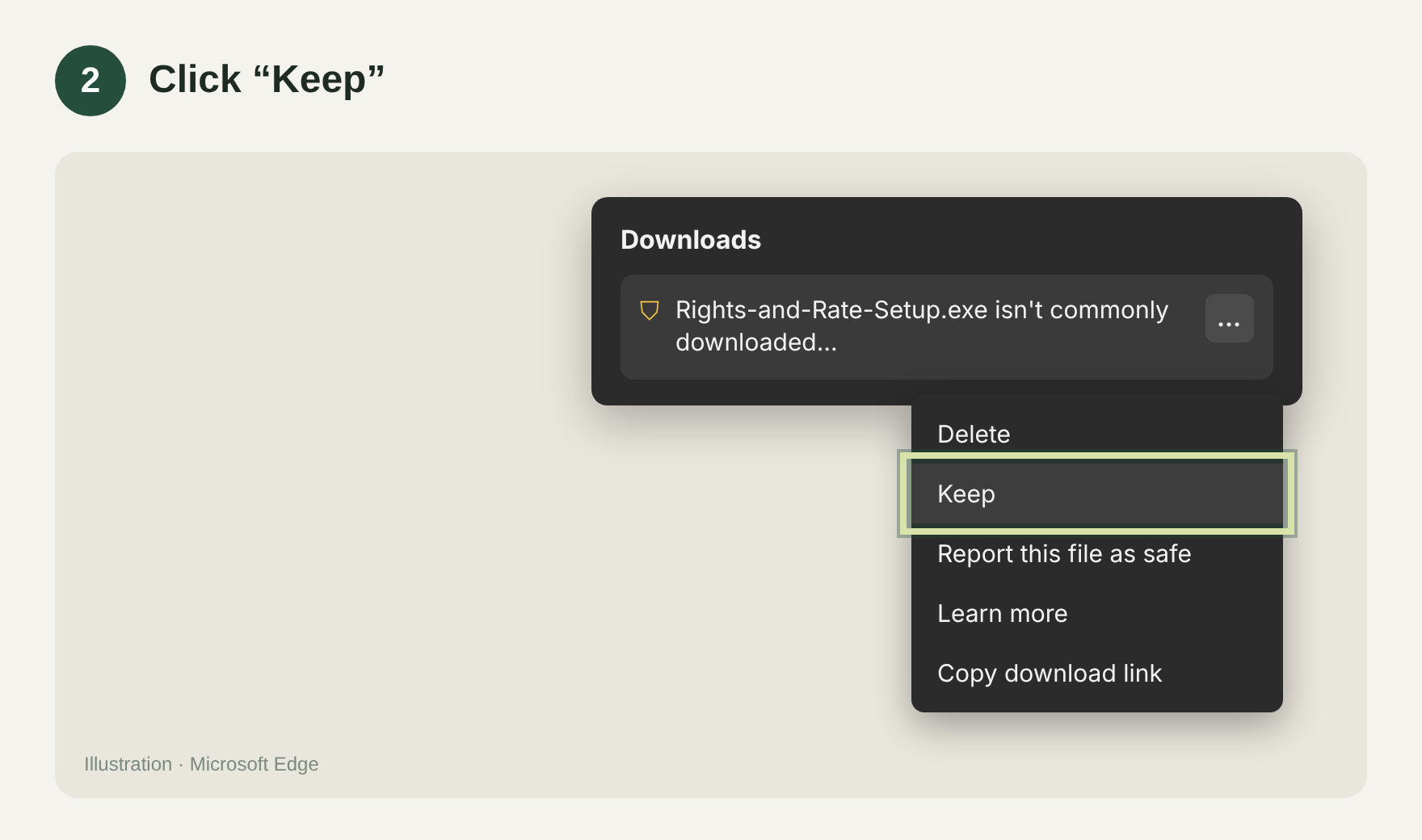
2. Click "Keep". 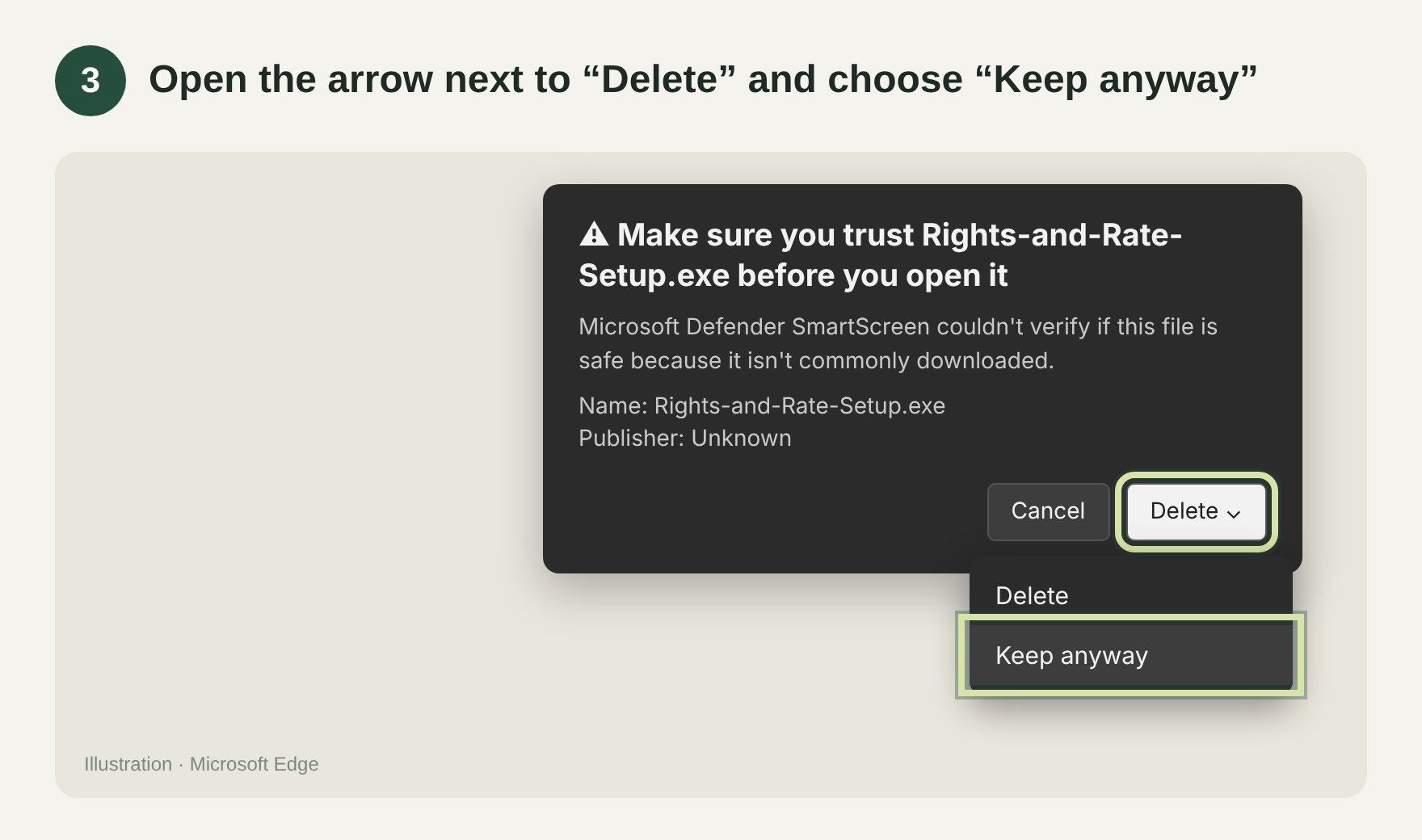
3. Open the arrow next to "Delete" and choose "Keep anyway". 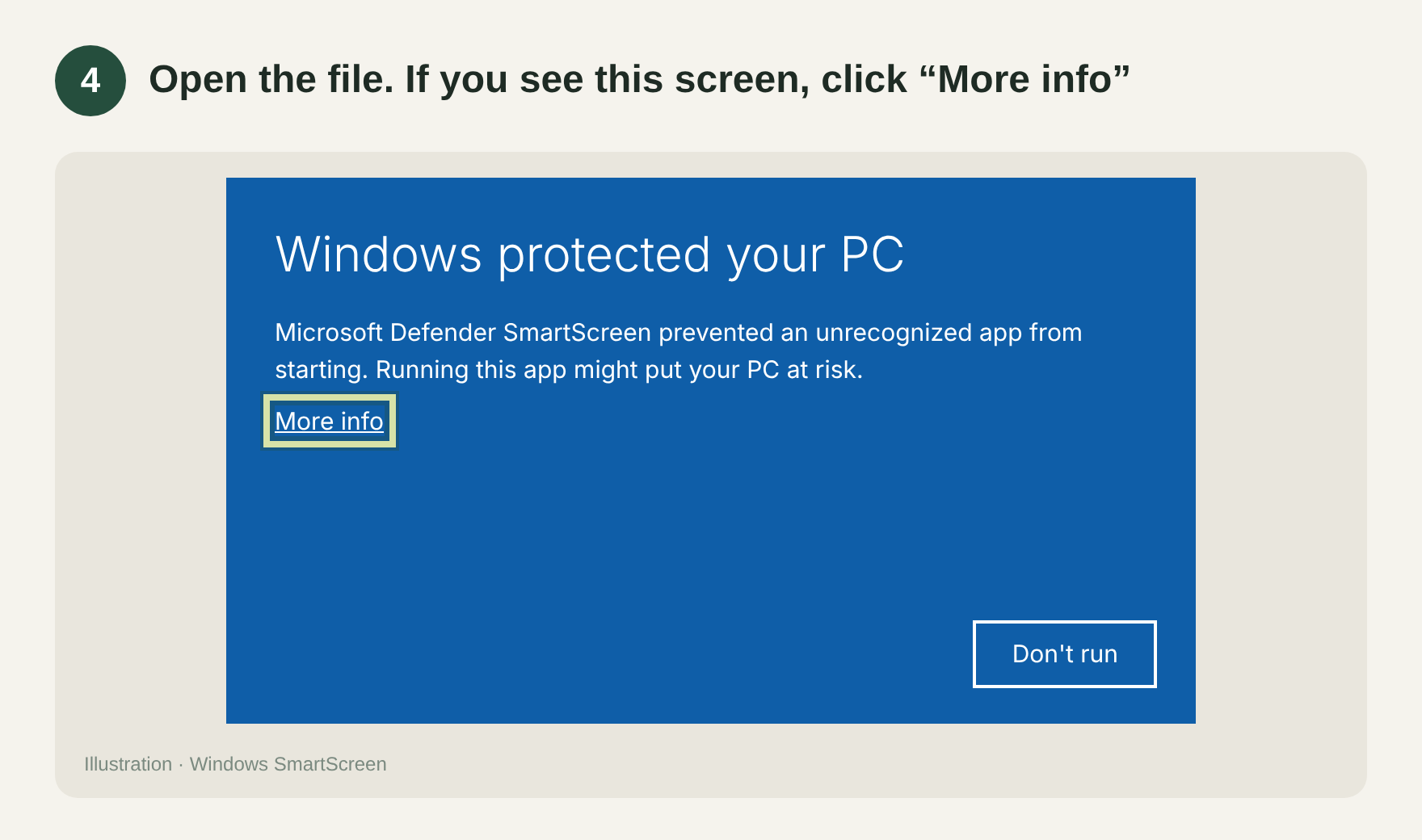
4. Open the downloaded file. If you see "Windows protected your PC", click "More info". 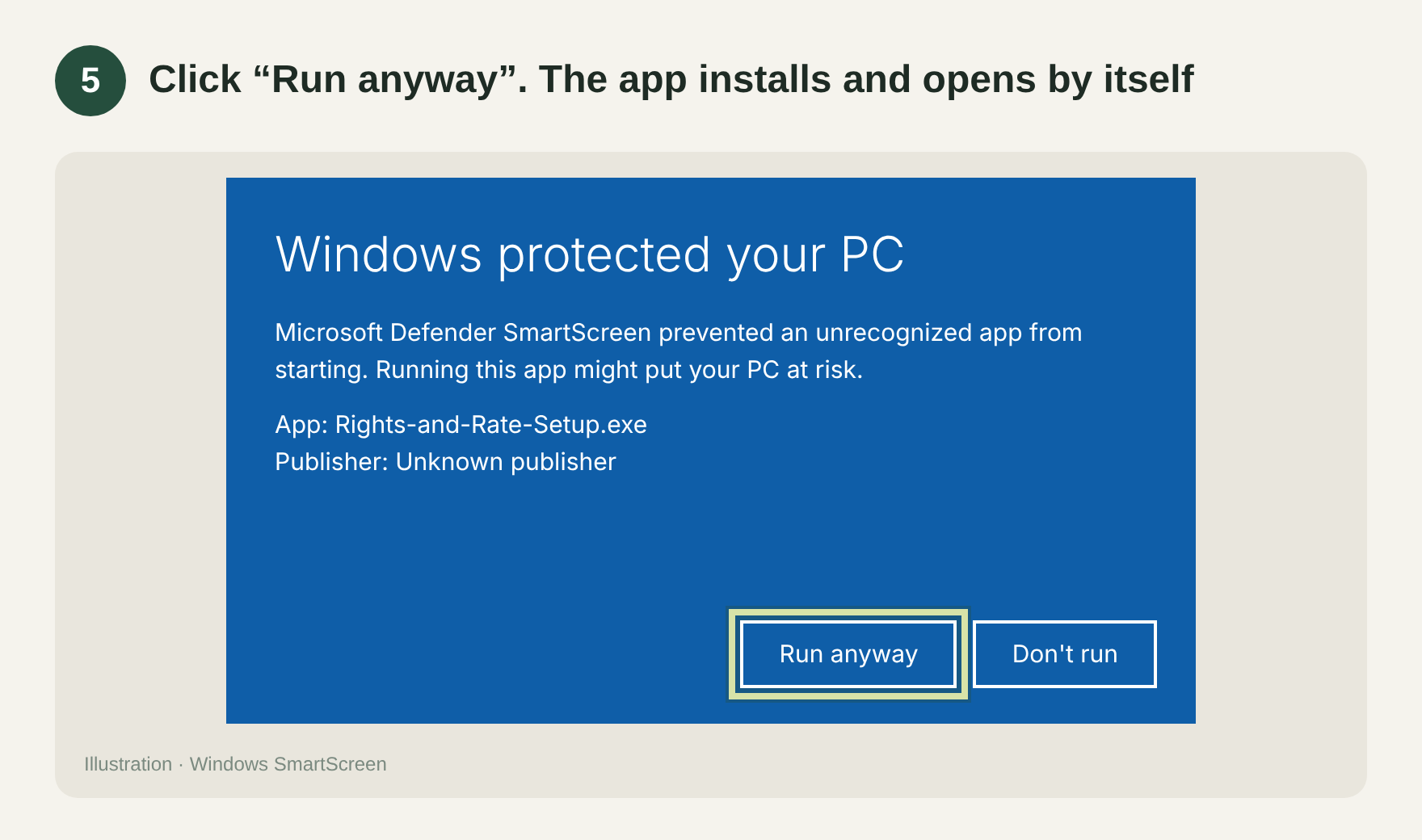
5. Click "Run anyway". The app installs and opens by itself.
Using Chrome? Click "Keep" if it asks. Still stuck? Write to support@rights-and-rate.com
Need help? support@rights-and-rate.com